

Configuration
Grant is configured via environment variables. The Config app is the recommended way to view and edit them; it writes to a single root env file at a time (.env, .env.demo, or .env.test).
Config app
If you already started development with pnpm dev, the Config app is already running at http://localhost:3005.
If you only want the Config app, start it from the repo root:
pnpm --filter grant-config devThen open http://localhost:3005.
- Environment selector (header): Choose Default (
.env), Demo (.env.demo), or Test (.env.test). All vars and schema defaults are shown; unset vars show the default as placeholder. - Sidebar: Categories (App, Database, Cache, Auth, GitHub OAuth, Google OAuth, Security, Advanced) with Set/Default/Missing status. Hamburger menu on small screens.
- Content: Variables for the selected category in collapsible sections. Critical settings first; optional sections collapsed by default. Edit in place, generate passwords; optional Use app URL and Use docker database to derive
SECURITY_FRONTEND_URLandDB_URLfromAPP_URLand Postgres vars.
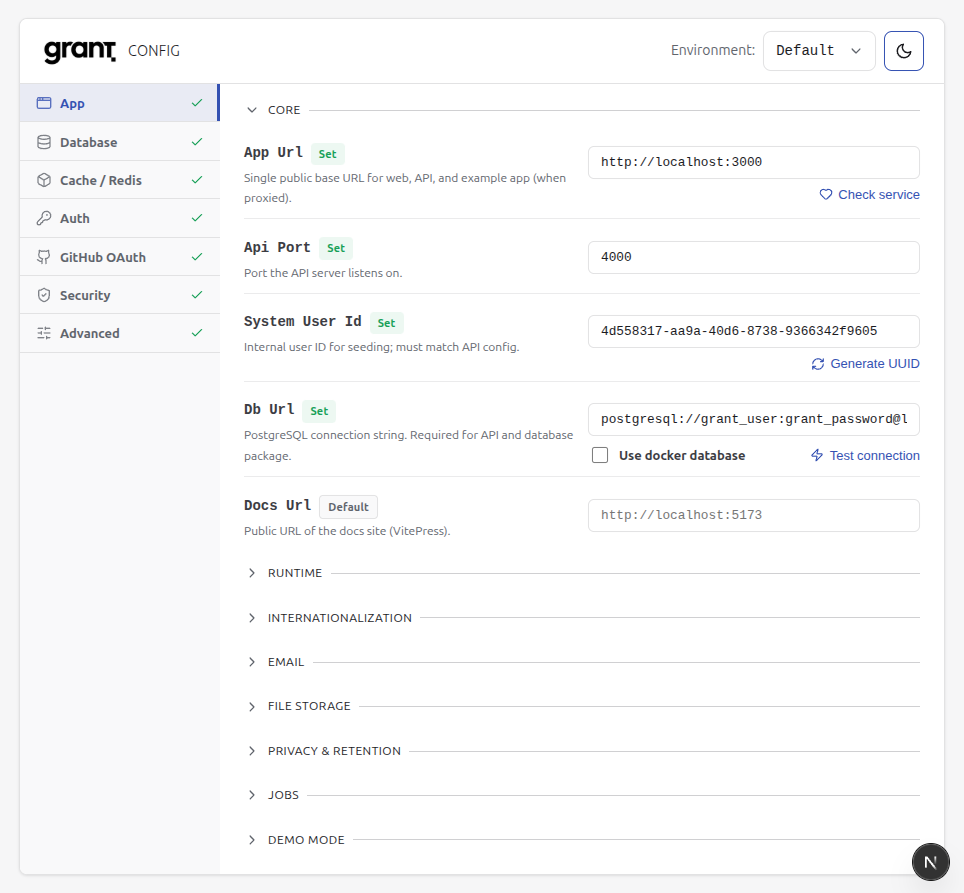
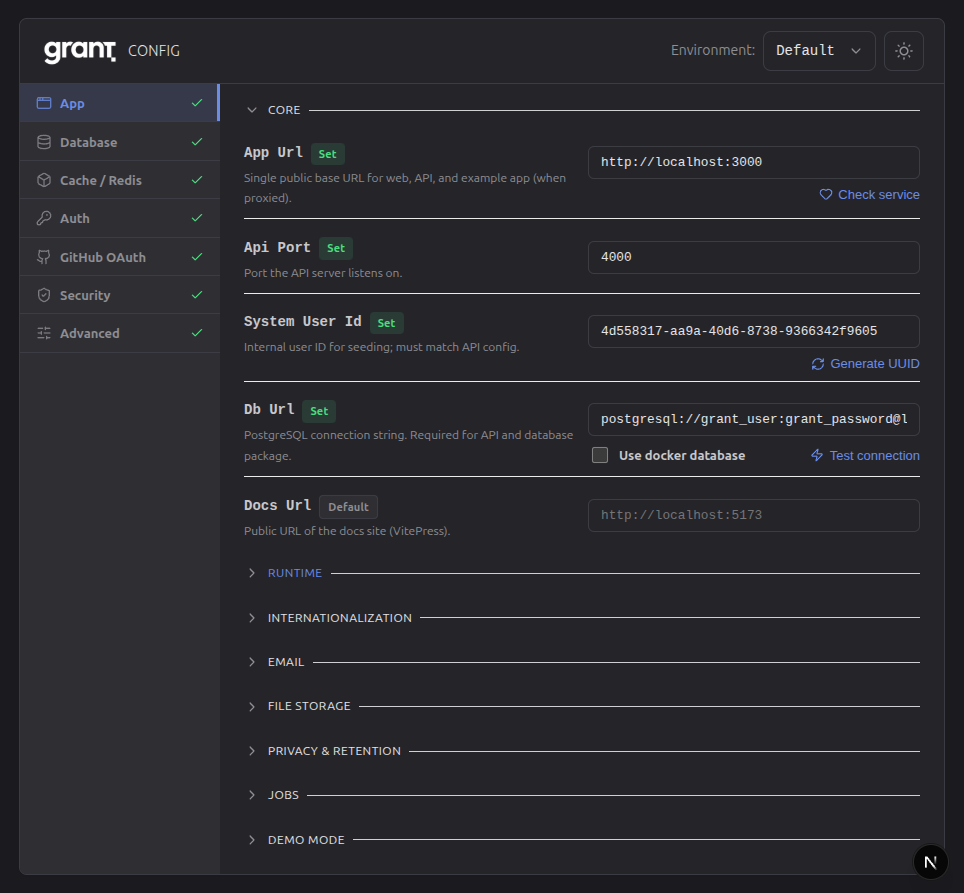
TIP
Root .env is created automatically when you run pnpm dev (predev script). To create or refresh without starting the app: pnpm env:setup. For deploy and E2E, use .env.demo and .env.test (copy from .env.demo.example / .env.test.example). You can also edit env files directly.
Env file precedence
The platform loads env files from the monorepo root in this order (later overrides earlier):
.env.env.local(usually gitignored).env.{NODE_ENV}(e.g..env.development,.env.test,.env.production).env.{NODE_ENV}.local(e.g..env.development.local, usually gitignored)
Only @grantjs/env loads these files; no need for dotenv-cli in scripts. Apps and DB scripts use getEnv() from @grantjs/env. The Config app and deployment use root .env, .env.demo, and .env.test only; apps consume these via @grantjs/env (no per-app .env for platform config).
Platform env rules
To avoid regressions, follow these rules:
- Only
@grantjs/envloads.envfiles — nodotenv.config()in apps or packages. - Apps never call
dotenvdirectly — env is loaded when the env package is first imported. - Apps never read
process.envdirectly — use typed config from@/configorgetEnv()from@grantjs/env. - All env access goes through
getEnv()(or the app’s derived config that uses it).
What to set
| Priority | Variable | Purpose |
|---|---|---|
| Required | DB_URL | PostgreSQL connection string |
| Required | SECURITY_FRONTEND_URL | Frontend URL for CORS (production) |
| Common | APP_URL | API base URL (JWT issuer) |
| Common | CACHE_STRATEGY | memory or redis |
Full list, descriptions, and defaults: Config app (all categories) or root .env.example (and .env.demo.example / .env.test.example for demo/E2E). Variables use prefixes (DB_*, JWT_*, SECURITY_*, etc.) for grouping.
Sign-in providers (optional)
Leave client ID and secret empty to hide that provider on platform login and register. If either value is set, both are required. Project-app social sign-in uses per-project OAuth connections; see Project OAuth.
| Variable | Purpose |
|---|---|
GITHUB_CLIENT_ID / GITHUB_CLIENT_SECRET | Platform GitHub OAuth App |
GOOGLE_CLIENT_ID / GOOGLE_CLIENT_SECRET | Platform Google Cloud Web client |
PROJECT_OAUTH_CONNECTION_ENCRYPTION_KEY | Encrypts per-project BYO GitHub/Google client secrets (required to save connections) |
PROJECT_OAUTH_REQUIRE_BYO_SOCIAL | When true, project social sign-in requires BYO connections (default false) |
PROJECT_OAUTH_REFRESH_TOKEN_EXPIRATION_DAYS | ProjectApp grant refresh lifetime (default 30). Distinct from JWT_REFRESH_TOKEN_EXPIRATION_DAYS |
PROJECT_OAUTH_AUTHORIZATION_CODE_TTL_SECONDS | One-time authorization code TTL in seconds (default 60) |
Callback URLs default from APP_URL. Register platform IdP callbacks as described in Sign-in providers and Security. Customer BYO apps register Grant’s project broker callback only — see Configuring social OAuth for project apps.
Exportable API-key secrets (optional)
| Variable | Purpose |
|---|---|
API_KEY_EXPORTABLE_SECRET_ENCRYPTION_KEY | Key material for the encrypted copy of a project user's API-key secret, for projects that opt in. Required to enable the opt-in; keep it identical across API replicas and distinct from the other encryption keys. |
A project turns the feature on with setProjectExportableApiKeySecrets; enabling fails with a configuration error while this variable is empty. See API keys.
Authentication assurance (AAL)
| Variable | Default | Purpose |
|---|---|---|
AUTH_MIN_AAL_AT_LOGIN | aal1 | Minimum authentication assurance for general API access after login when the user has MFA enrolled. Use aal2 to require MFA verification (step-up) before most routes. |
AUTH_MFA_STEP_UP_MAX_AGE_SECONDS | 0 | When AUTH_MIN_AAL_AT_LOGIN is aal2, session JWTs with AAL2 whose mfa_auth_time is older than this many seconds are treated as AAL1 for route policy (time-based MFA step-up). 0 disables. |
Session access tokens include amr, acr, and auth_time claims. Prefer config.auth.minAalAtLogin in code (derived from the above).
Closed install: public signup and origin verify
A company can run Grant on the public internet without a VPN. Two independent controls:
| Variable | Default | Purpose |
|---|---|---|
AUTH_PUBLIC_SIGNUP_ENABLED | true | Open SaaS self-signup. Set false for a closed install: the first human may register; after that, platform email/password register and GitHub/Google new users are refused. Organization invitations still create users. Project App allowSignUp is unchanged. |
ORIGIN_VERIFY_SECRET | empty | Shared secret that proves a request arrived through a trusted front. Server-side only — never NEXT_PUBLIC_*. |
SECURITY_ORIGIN_VERIFY_HEADER | x-origin-verify | Header that carries the secret. |
SECURITY_ORIGIN_VERIFY_REQUIRED | false | When true, a missing secret refuses every API request (fail closed). AWS sets true. |
On a closed install, login follows the same rule as registration. An identity that exists without an account or an organization membership (a CDM import, a user who only signed in to a Project App) can sign in, but it is not given a Personal account: it is signed in without an account and reaches only its own settings (profile, security, preferences, notifications, privacy, data export and deletion) and its project memberships. Account-scoped pages are not offered and the API refuses them, and it cannot create an account or an organization. A valid organization invitation, an organization membership (an administrator added the user to an organization) and, on an empty install, being the first human still create the account. Password reset stays open to every identity.
SECURITY_API_KEY is declared in env schema and config only. It has no runtime consumer and is not the origin gate. Do not wire a second gate.
Who attaches x-origin-verify (never a CloudFront Function):
| Target | Who attaches the header | API reachability |
|---|---|---|
| AWS CloudFront | Origin custom header on the API origin (CDK). The CloudFront Function on the web behaviour is trailing-slash redirect only. | Function URL is public; originVerifyMiddleware is the guard |
| Docker | Next.js server middleware (rewrites cannot add headers) | Do not publish the API port when the gate is on |
| Kubernetes | Next middleware or Ingress proxy_set_header / equivalent | API ClusterIP (or Ingress-only with the header) |
Web needs ORIGIN_VERIFY_SECRET at server runtime when Next is the front. Direct curl against the API origin must send the header; against the web origin it must not — the front attaches it. Deploy notes: Docker, Kubernetes, AWS.
Trusted client IP (production)
Rate limits and audit IPs key on the client address. In production set SECURITY_TRUSTED_CLIENT_IP_HEADER to a header the edge overwrites (for example cloudfront-viewer-address on AWS). Do not trust the leftmost X-Forwarded-For hop. Details: Security — Rate Limiting.
Using config in code
The API reads env via a centralized, type-safe config:
import { config } from '@/config';

config.app.port; // number
config.db.url; // string
config.cache.strategy; // 'memory' | 'redis'Implementation: apps/api/src/config/env.config.ts. Validated on startup; invalid config throws before the server listens.
Troubleshooting
| Issue | Check |
|---|---|
| Env not loading | .env at repo root, restart server |
| Validation error on startup | Message names the variable; fix in Config app or .env |
| Redis unreachable | CACHE_STRATEGY=redis → verify Redis running, REDIS_HOST / REDIS_PORT / REDIS_PASSWORD |
| CORS errors | Set SECURITY_FRONTEND_URL (and SECURITY_ADDITIONAL_ORIGINS if needed) |
Related
- Quick Start — Get running locally
- Docker Deployment — Infrastructure and env
- Security — Auth, CORS, OAuth callback URLs
- Sign-in providers — GitHub/Google env, account linking, profile pictures
- Caching — Cache strategy and Redis
Next: Integration Guide to protect your API with Grant.